Help Center
Patient Intake Portal - Health Information Form Customization
The Health Information Form is part of the Patient Intake Portal and the TEPE (Total Electronic Patient Entry) system included with 4D EMR.
Practice customizations for this feature are shown below and can be modified in Practice>>Settings>>Patients>>Portal Options.
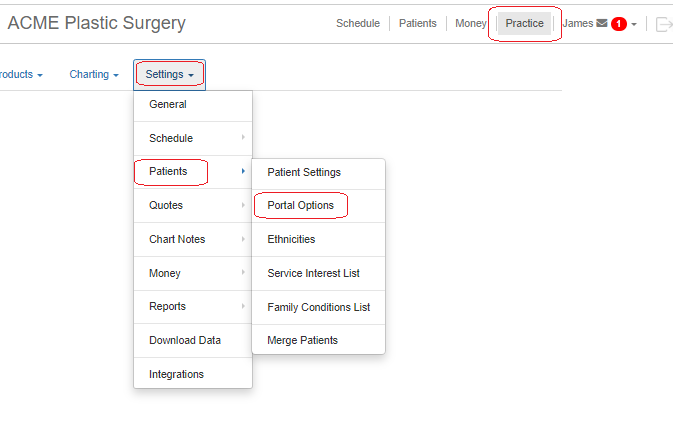
Options for customizing the Helath Information Form are shown below.
Patient Intake Portal: Global Options
Practice>>Settings>>Patients>>Portal Options: General section

Patient Intake Portal: Identity Confirmation
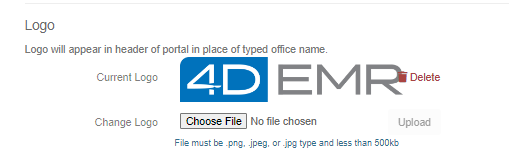
Sections indicated with red arrow may be customized: Practice>>Settings>>Patients>>Portal Options: Logo section (see below images).
Practice>>Settings>>Patients>>Portal Options: Information Page section
Patient Intake Portal: Patient Task Options
Sections indicated with red arrows may be customized: Practice>>Settings>>Patients>>Items Needing Attention: Logo section (see below images).
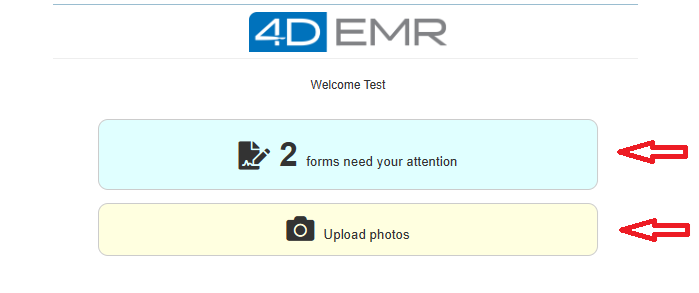
Practice>>Settings>>Patients>>Portal Options: Information Page section
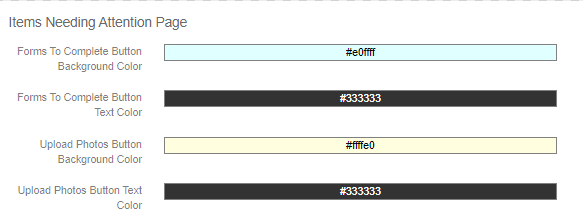
Patient Intake Portal>>Form List
No customization options.
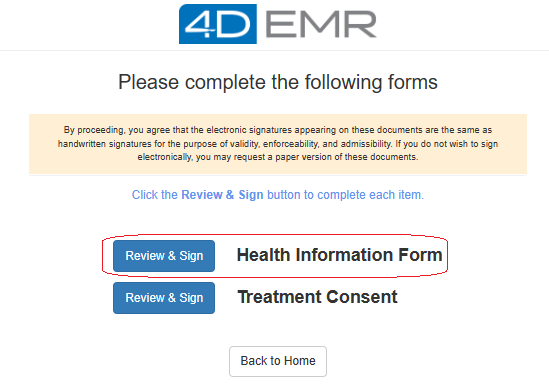
Patient Intake Portal>>Health Information Form: Identity Page
No customization options.
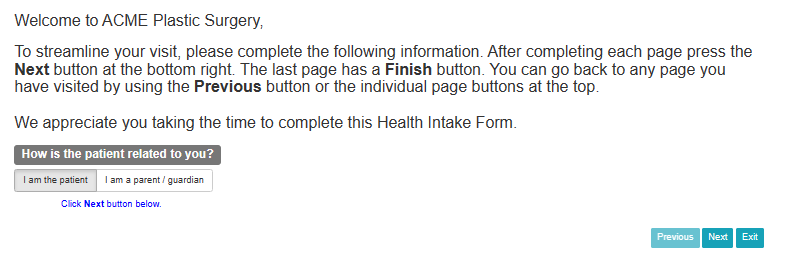
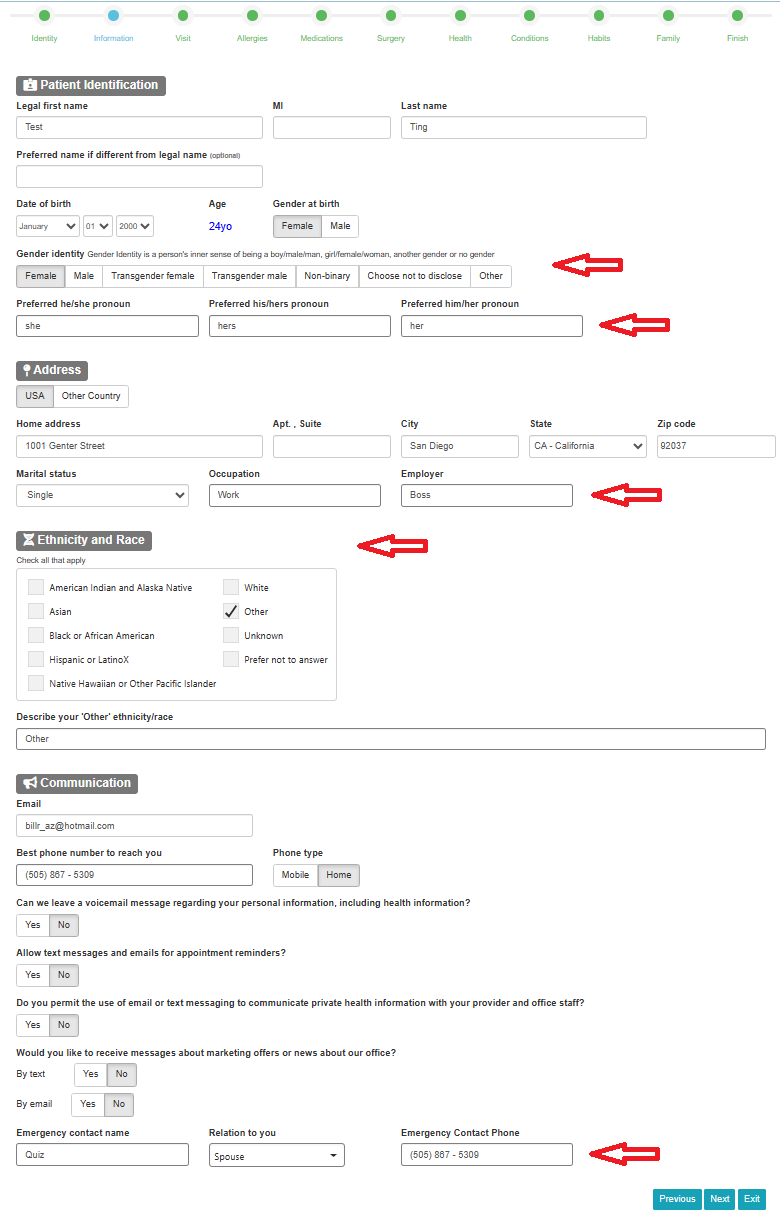
Patient Intake Portal>>Health Information Form: Information Page
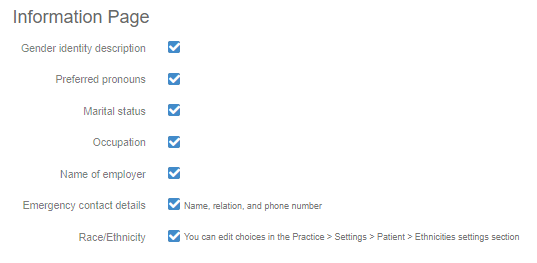
Sections indicated with red arrows may be added/hidden by configuring: Practice>>Settings>>Patients>>Portal Options: Information Page section (see below images).
Practice>>Settings>>Patients>>Portal Options: Information Page section
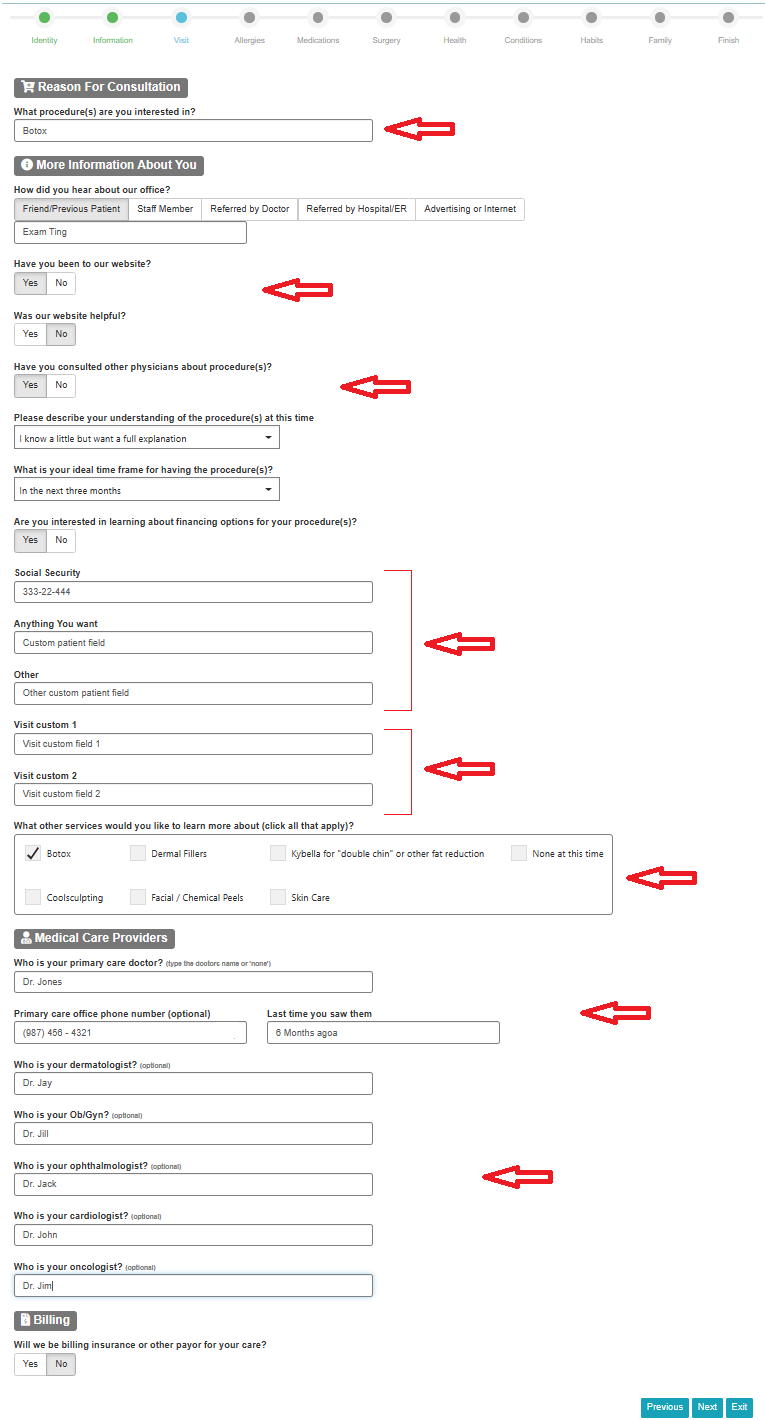
Patient Intake Portal>>Health Information Form: Visit Page
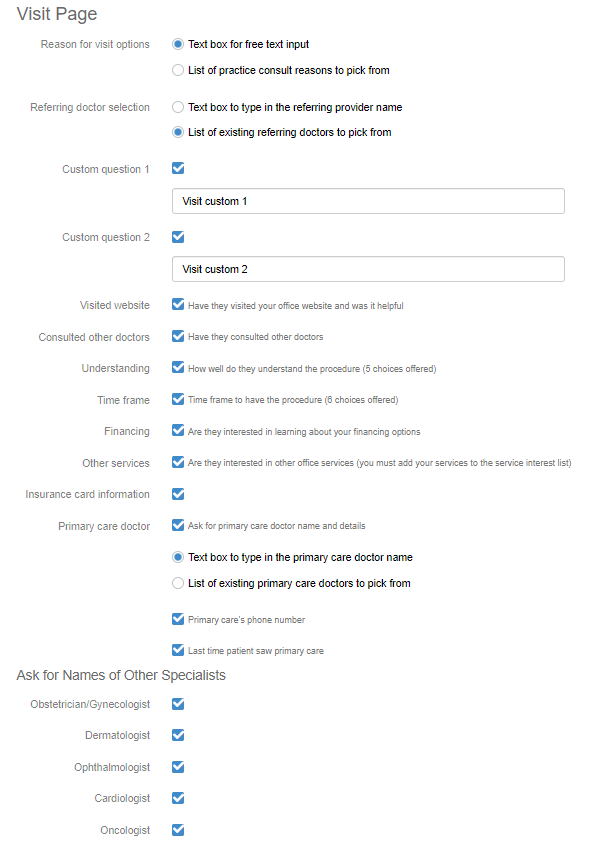
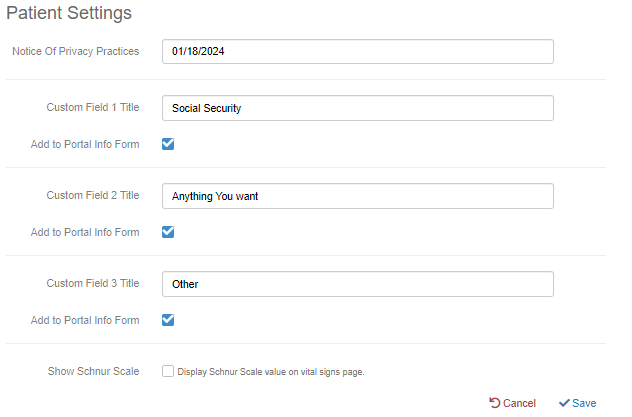
Sections indicated with red arrows may be added/hidden and customized by configuring: Practice>>Settings>>Patients>>Portal Options: Visit Page section AND Practice>>Settings>>Patients>>Patient Settings (see below images).
 Practice>>Settings>>Patients>>Portal Options: Visit Page section
Practice>>Settings>>Patients>>Patient Settings
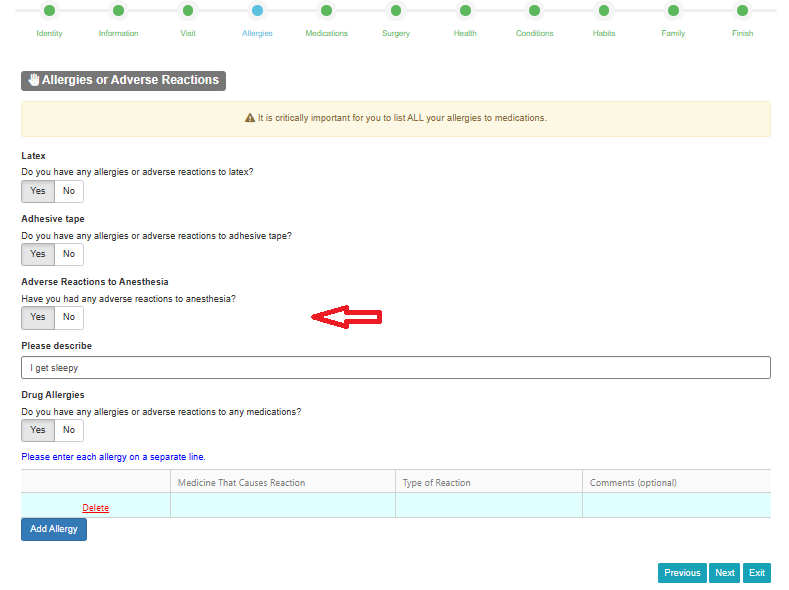
Patient Intake Portal>>Health Information Form: Allergies Page
Section indicated with red arrow may be added/hidden by configuring: Practice>>Settings>>Patients>>Portal Options: Allergies and Adverse Reactions section section (see below images).
Practice>>Settings>>Patients>>Portal Options: Allergies and Adverse Reactions Page section

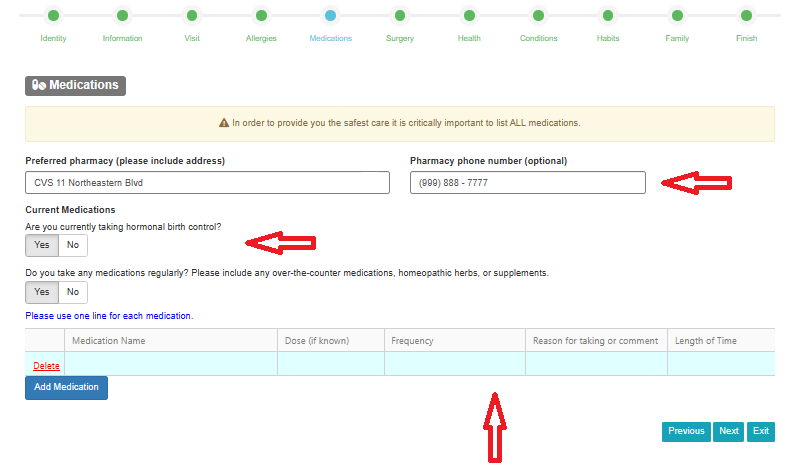
Patient Intake Portal>>Health Information Form: Medications Page
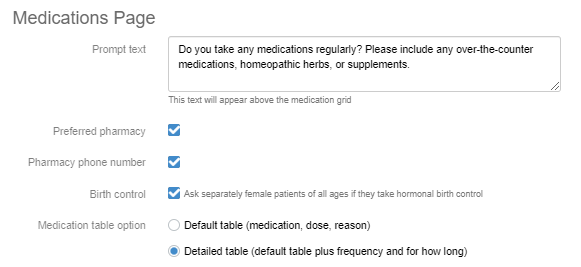
Sections indicated with red arrows may be added/hidden and customized by configuring: Practice>>Settings>>Patients>>Portal Options: Medications Page section (see below images).
Practice>>Settings>>Patients>>Portal Options: Medications Page section
Patient Intake Portal>>Health Information Form: Surgery Page
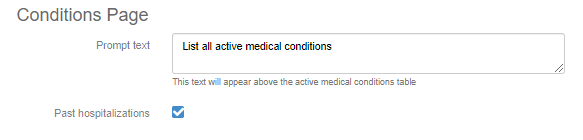
Section indicated with red arrow may be added/hidden and customized by configuring: Practice>>Settings>>Patients>>Portal Options: Conditions Page section (see below images).
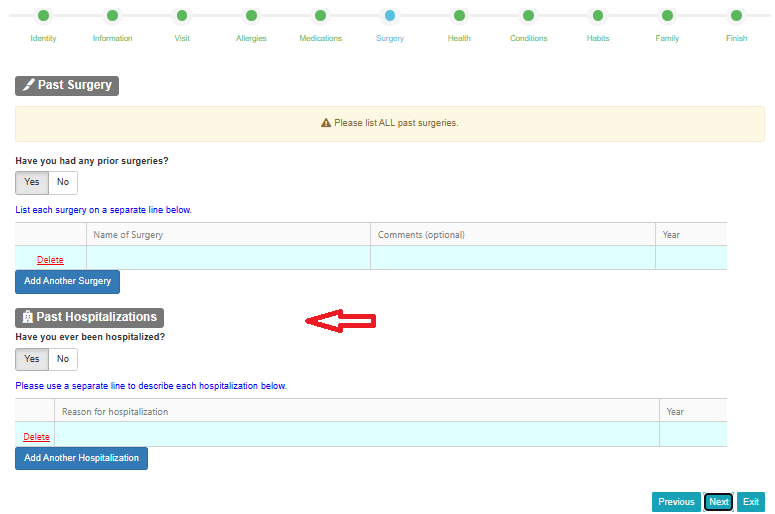
Practice>>Settings>>Patients>>Portal Options: Conditions Page section
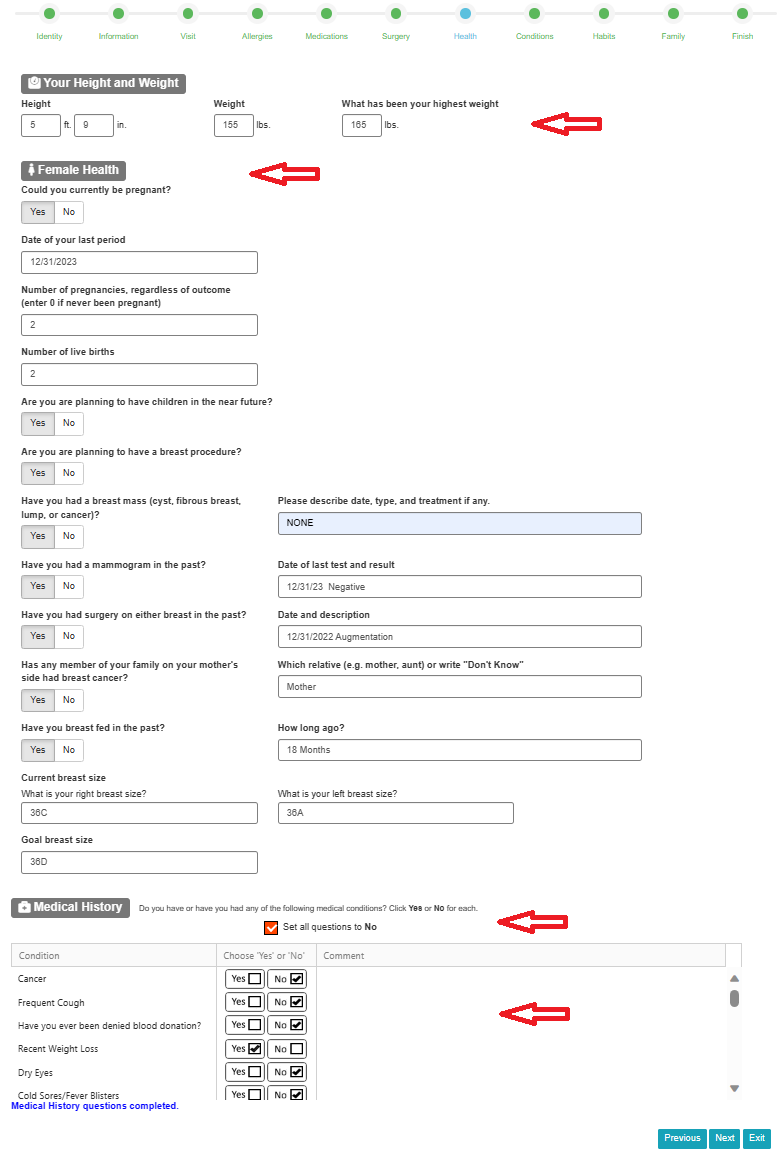
Patient Intake Portal>>Health Information Form: Health Page
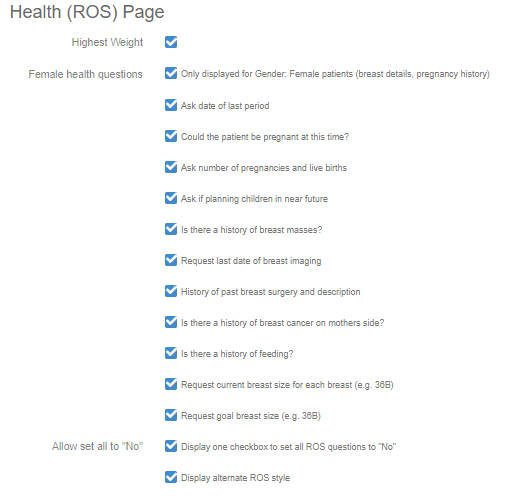
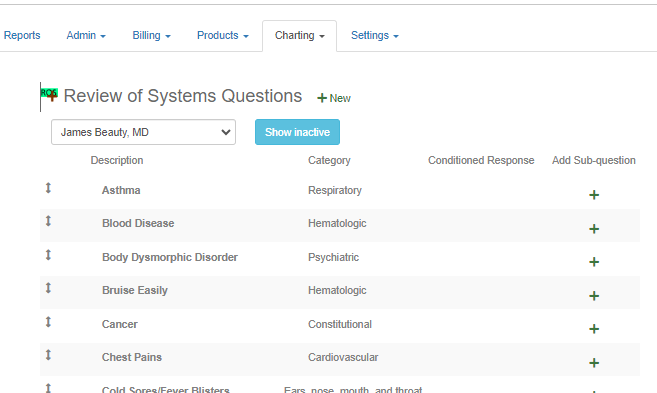
Sections indicated with red arrows may be added/hidden and customized by configuring: Practice>>Settings>>Patients>>Portal Options: Health (ROS) Page section AND Practice>>Charting>>Review Of Systems (see below images).
Practice>>Settings>>Patients>>Portal Options: Health (ROS) Page section
Practice>>Charting>>Review Of Systems
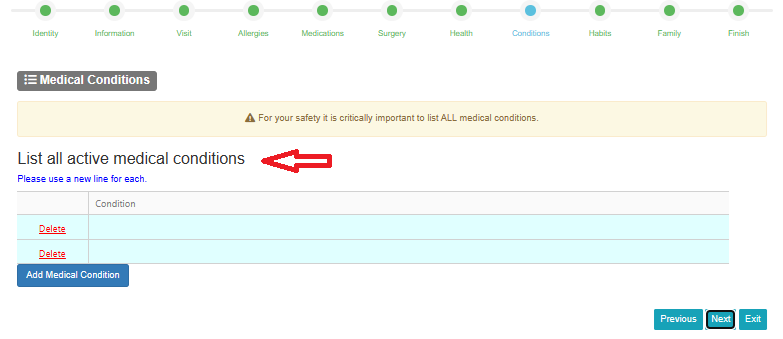
Patient Intake Portal>>Health Information Form: Conditions Page
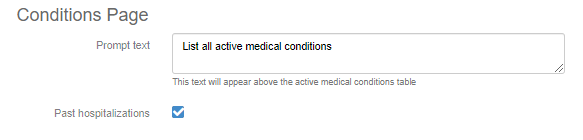
Section indicated with red arrows may be customized by configuring: Practice>>Settings>>Patients>>Portal Options: Conditions Page section (see below images).
Practice>>Settings>>Patients>>Portal Options: Conditions Page section
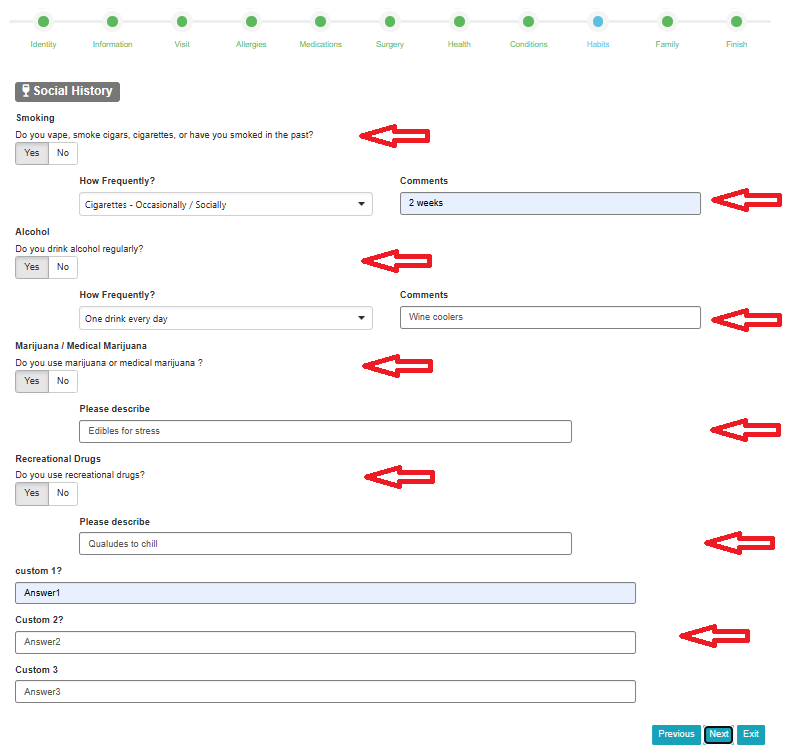
Patient Intake Portal>>Health Information Form: Habits Page
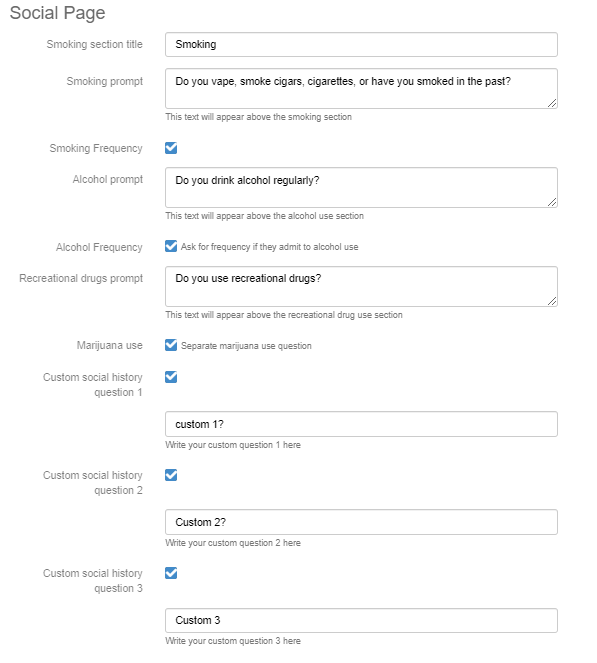
Sections indicated with red arrows may be added/hidden and customized by configuring: Practice>>Settings>>Patients>>Portal Options: Social Page section (see below images).
Practice>>Settings>>Patients>>Portal Options: Social Page section
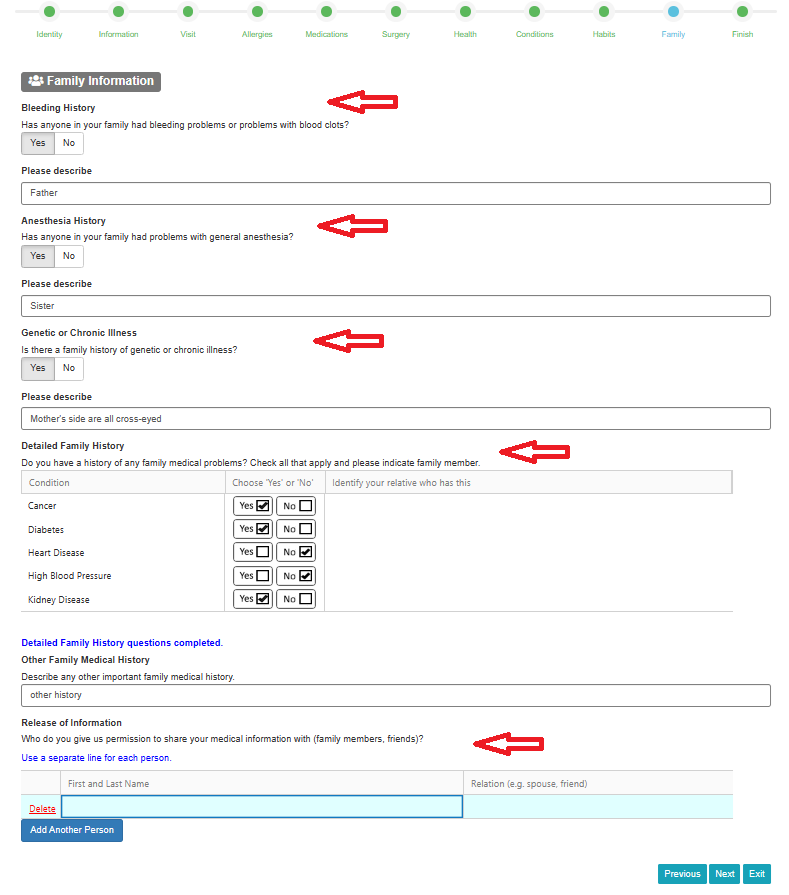
Patient Intake Portal>>Health Information Form: Family Page
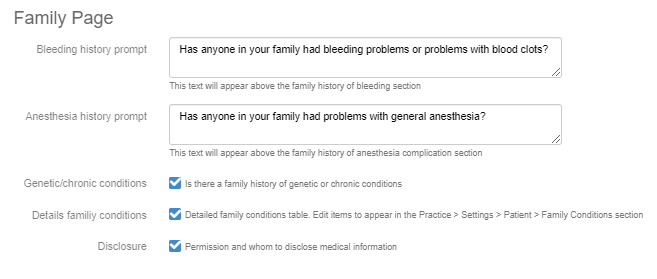
Sections indicated with red arrows may be added/hidden and customized by configuring: Practice>>Settings>>Patients>>Portal Options: Family Page section (see below images).
Practice>>Settings>>Patients>>Portal Options: Family Page section
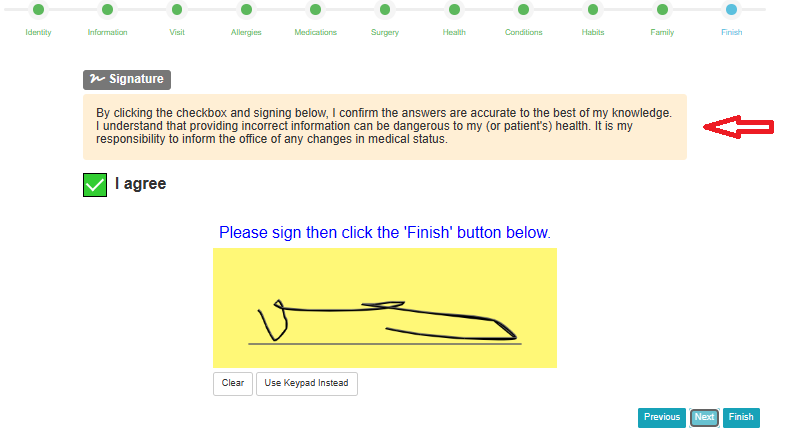
Patient Intake Portal>>Health Information Form: Finish Page
Section indicated with red arrow may be customized by configuring: Practice>>Settings>>Patients>>Portal Options: Signature Page section (see below images).
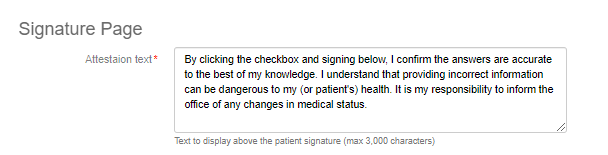
Practice>>Settings>>Patients>>Portal Options: Signature Page section