 Help Center
- Go to Practice > Reports > Marketing > Patient Export
- Configure the filter to meet your criteria.
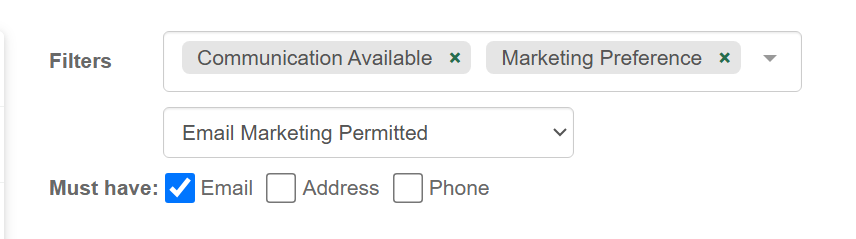
- For all emails select "Communication Available" and check Must have Email
- Also recommended to use "Marketing Preference" with Email Marketing Permitted
- Click
 to display a report of all patients to be exported
 - Click
 and select the required file type to download an export of the displayed report.
- Most mail merge programs such as Constant Contact or MailChimp require a CSV file.
- When importing this list into Constant Contact or MailChimp it may be necessary to open the CSV file in Excel and delete the header information in the top rows.
Exporting Patient Email/Contact lists
1 min. readlast update: 10.05.2025