 Help Center
4D EMR will automatically create insurance payments when ERA information is received by Mahler Health. Automatically created payments will need to be applied to individual claims manually.
If you need to create an insurance payment follow these steps:
- Go to Practice > Billing > Payments
- Click
 to open the Insurance Payment dialogue
 - Enter the payment information
- It is recommended to enter EOB number, check number, or patient names into the Note to aid in identifying the payment when posting
- Click
 to save the payment
Posting Insurance Payments to Claims
To post insurance payments follow these steps:
- Go to Practice > Billing > Payments
- Click on the Payment to be posted to open it
- Select the claim in the Available Claims dropdown then click

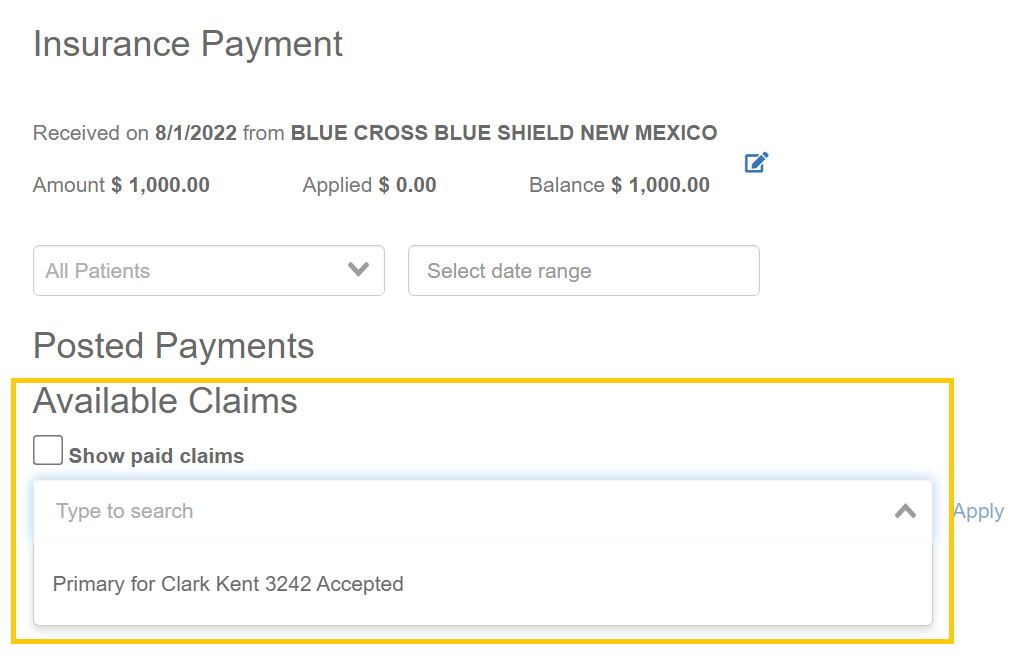 If there are many available claims the patient search above the Available Claims dropdown can be used to filter the list by patient
- If a claim is not showing in the Available Claims list ensure that the claim has been marked as Accepted
- Enter the EOB information into the fields

- You can navigate the fields by using 'Tab' to go to the next cell, and 'Enter' to activate a field for typing
- The 'Next Step' field dictates how the system will handle any remaining balances.
- If there are payments for multiple claims repeat steps 3-4 for each claim
- Click
