 Help Center
To collect a Patient's Insurance copay or coinsurance payment follow these steps:
- A copay invoice will be generated when the status of an insurance appointment is marked as arrived, in-room, seen, or checked-out.
- Go to Money and select the patient's account
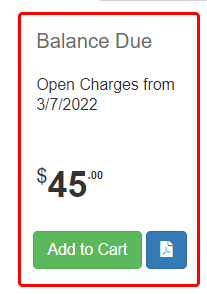
- Add the balance tile to the cart by clicking the Add to Cart button located at the bottom of the tile.
- When prompted enter the amount the patient will be paying if different than the copay balance, or click 'OK' to default to the full copay amount.
- Click 'Checkout'
- Select the payment method(s) on the left side of the screen
- If using multiple payment methods, use the edit icon to change the amount charged to each method.
- Click 'Complete Sale'
- Click the 'Print' button to print or 'E-Mail' to email a copy of the invoice and payment. Otherwise click 'Close' to return to the Money screen.