 Help Center
Save/Move ASPS Consents to Local Forms Library
ASPS consents, optimized for 4D EMR including merge fields and signature fields, are available to purchase in English and Spanish. For pricing and more information, please contact support@4d-emr.com.
Importing ASPS Consent or Form
After purchasing ASPS forms through 4D EMR they will become available in the Practice > Charting > Forms Library. In order to send an ASPS consent or form to a patient for signing it must be imported into your database.
To Import ASPS consents into your database:
- Go to Practice > Charting > Forms Library
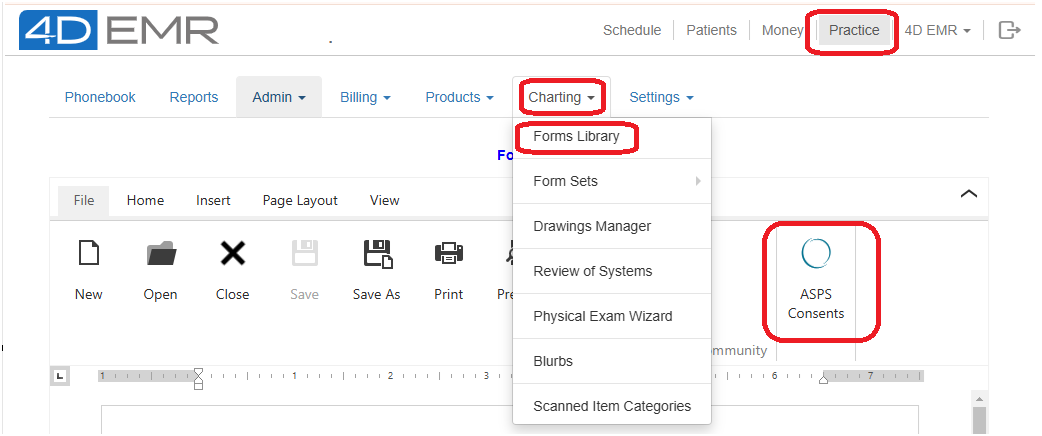
- Click on the ASPS Consents icon to view the consents and forms available from ASPS.
- Forms with '4D version' in the file name are optimized for 4D and will include merged fields and signature fields. The other forms are the original text provided by ASPS and are included for reference.
- Open the consent or form to be imported.
- Click on Save As and save the form to the desired folder in your database.
See also:
Video - Moving Forms, Saving ASPS & Community Forms to Local Library