Help Center
The initial release of 4D EMR Gift Cards includes basic/limited features:
- Cards MUST be linked to a patient account and can only be tracked under that patient account. There are no "stand alone" gift card accounts.
- Limited reporting is currently available.
Before Gift Cards can be utilized for your office, they must be enabled for your database by 4D EMR support. If you are interested in using Gift Cards, please contact support at support@4d-emr.com to have it enabled.
Basic Setup and Use Instructions
- To add a Gift Card to a patient's account, add the New Gift Card item to the shopping cart.
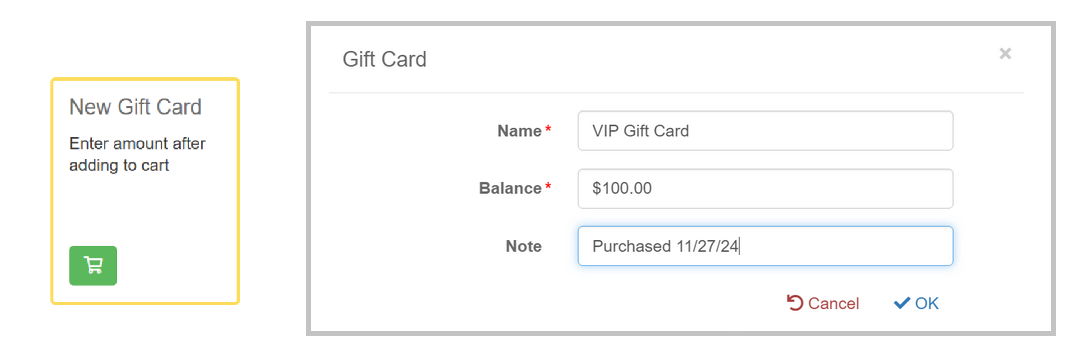
- When adding the New Gift Card item to the cart, you will be prompted to enter the Name for the Card and the initial balance. The entered Name will display on the Gift Card tile in Money, so it should be descriptive. Patients can have multiple Gift Cards.
- Gift Card Balances will show as an available payment method.

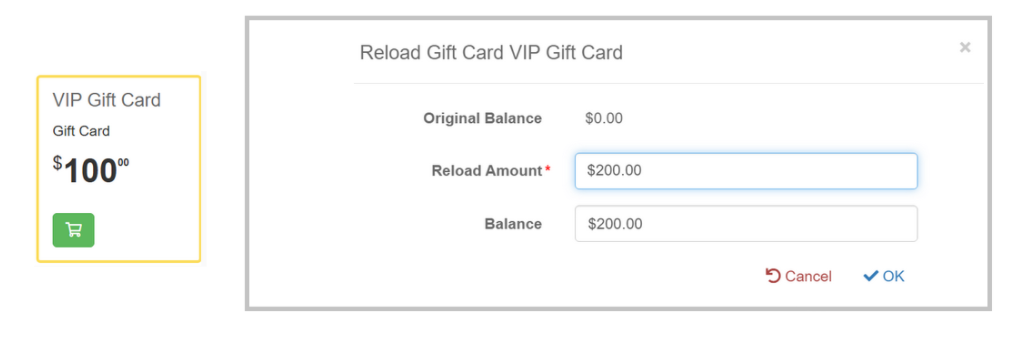
- Gift Cards can be reloaded by adding the purchased Gift Card tile to the shopping cart. Gift Cards do not need to be $0 in order to be reloaded.